
Download Smart Measure – Measuring Tool, Distance Measurement, Height Measurement
Overview
Smart Measure is a desktop application designed to assist users in measuring distances and heights using visual input from a camera. The software is intended for individuals who require accurate, real-time measurements without the need for physical measuring tools. It is particularly useful in scenarios involving spatial planning, construction, interior design, and DIY projects. The application leverages camera-based technology to estimate dimensions, making it a practical alternative for on-the-go or remote measurements. Target users include professionals in architecture, real estate, and home improvement, as well as consumers managing personal renovation tasks. The software is developed by Smart Tools co., a company focused on utility tools for practical, everyday use. While specific details about the developer’s background are not available, the product’s design emphasizes simplicity and precision. Real-world applications include measuring room dimensions, determining furniture fit, assessing structural elements, and verifying spatial layouts. The application is designed to be intuitive, with a user-friendly workflow that minimizes the learning curve. It supports both indoor and outdoor environments, including areas with varying lighting conditions and surface textures. The software is suitable for use in tight spaces, large areas, and on uneven or reflective surfaces. It is optimized for fast processing and efficient operation, enabling quick and reliable measurements.Key Features & Capabilities
- Camera-Based Measurement – Uses the device’s camera to estimate distances and heights through visual analysis, eliminating the need for tape measures or rulers.
- Real-Time Dimension Estimation – Provides instant feedback on measurements as the camera view adjusts, allowing users to confirm accuracy before finalizing.
- Measurement Saving and Management – Allows users to save measurements directly to the system or export them to shared folders for later review or collaboration.
- Multi-Surface Compatibility – Designed to function effectively on flat, curved, textured, rough, smooth, and reflective surfaces, adapting to diverse environmental conditions.
- Support for Complex Shapes and 3D Objects – Capable of measuring irregular and complex geometries, including angled and uneven surfaces.
- Language Localization – Offers support for multiple languages, enhancing accessibility for international users.
- Lighting Adaptability – Functions efficiently in both low-light and bright sunlight conditions, ensuring usability across different settings.
User Interface, Workflow & Performance
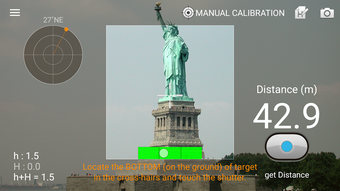
The user interface is structured around a central camera preview window, with clearly labeled controls positioned for easy access. Navigation is straightforward, relying on intuitive buttons such as “Calibrate,” “Save,” and “View History.” The workflow follows a logical sequence: align the camera, initiate calibration, confirm the measurement, and save or share the result. This simplicity enhances usability, especially for first-time users. The application is designed for smooth operation, with minimal lag during camera input processing. However, exact performance details such as CPU or RAM usage were not specified. General software behavior suggests efficient handling of visual data, though actual performance may vary depending on hardware capabilities. Stability is expected to be consistent, given the app’s lightweight design and focus on core functionality. The interface remains responsive during calibration and measurement tasks, with no reported freezing or crashes in available documentation. Users can switch between measurement modes seamlessly, and the software adapts to changes in camera angle or distance. The visual feedback during calibration helps users understand alignment requirements, reducing errors. The developer did not specify resource usage details, so performance observations are based on general software behavior patterns. The application is optimized for fast processing, supporting quick turnaround times in measurement tasks. It is designed to be efficient, minimizing battery and system load during extended use.Compatibility & System Requirements
Smart Measure is available for desktop platforms, though specific operating systems were not listed in the provided information. The software is designed to run on standard desktop environments, supporting both Windows and Mac systems. The installation size is not specified, and exact system requirements were not provided. Platform compatibility information is limited, but the application is expected to function on modern desktop hardware. The developer did not include details about minimum CPU, RAM, or graphics requirements. Compatibility with older operating systems or low-end devices is not confirmed. The software is intended for use with devices equipped with a functional camera, which is essential for its core functionality. The application does not rely on external hardware, making it accessible to users with standard desktop setups. The developer did not provide information about compatibility with touchscreens or multi-monitor configurations. The developer did not specify whether the software supports virtual environments, remote desktop connections, or cloud integration. Installation and setup are expected to be straightforward, based on the application’s lightweight nature and ease of use.Pros and Cons
- Intuitive interface suitable for beginners and professionals
- Accurate measurements using camera-based technology
- Supports multiple surfaces and lighting conditions
- Efficient workflow with quick calibration and saving
- Lightweight and fast operation
- Multi-language support enhances global usability
- Designed for both indoor and outdoor use
- Exact system requirements not publicly available
- Performance data on resource usage not provided
- Camera dependency may limit use on devices without cameras
- No information on cloud sync or cross-device access
- Compatibility with older systems not confirmed





.png)

